Are you frustrated when your LinkedIn posts get cut off, losing valuable engagement before your message lands? You’re not alone. The linkedin post character limit often catches even seasoned professionals by surprise, impacting reach and visibility.
This guide breaks down the 2025 rules, showing you exactly how to work within the latest linkedin post character limit. You’ll learn the current limits for every LinkedIn format, discover how these guidelines shape your content strategy, and uncover expert tips to avoid common pitfalls. Ready to master LinkedIn’s new ecosystem and boost your content’s impact? Let’s get started.
Understanding LinkedIn Post Character Limits in 2025
Navigating the linkedin post character limit is crucial if you want your content to reach the right audience and drive engagement on LinkedIn. Many users get caught off guard when their posts are cut off or lose impact. To master LinkedIn in 2025, you need to fully understand how these character limits work, how they've evolved, and what they mean for your strategy.
The Basics: What Are LinkedIn Post Character Limits?
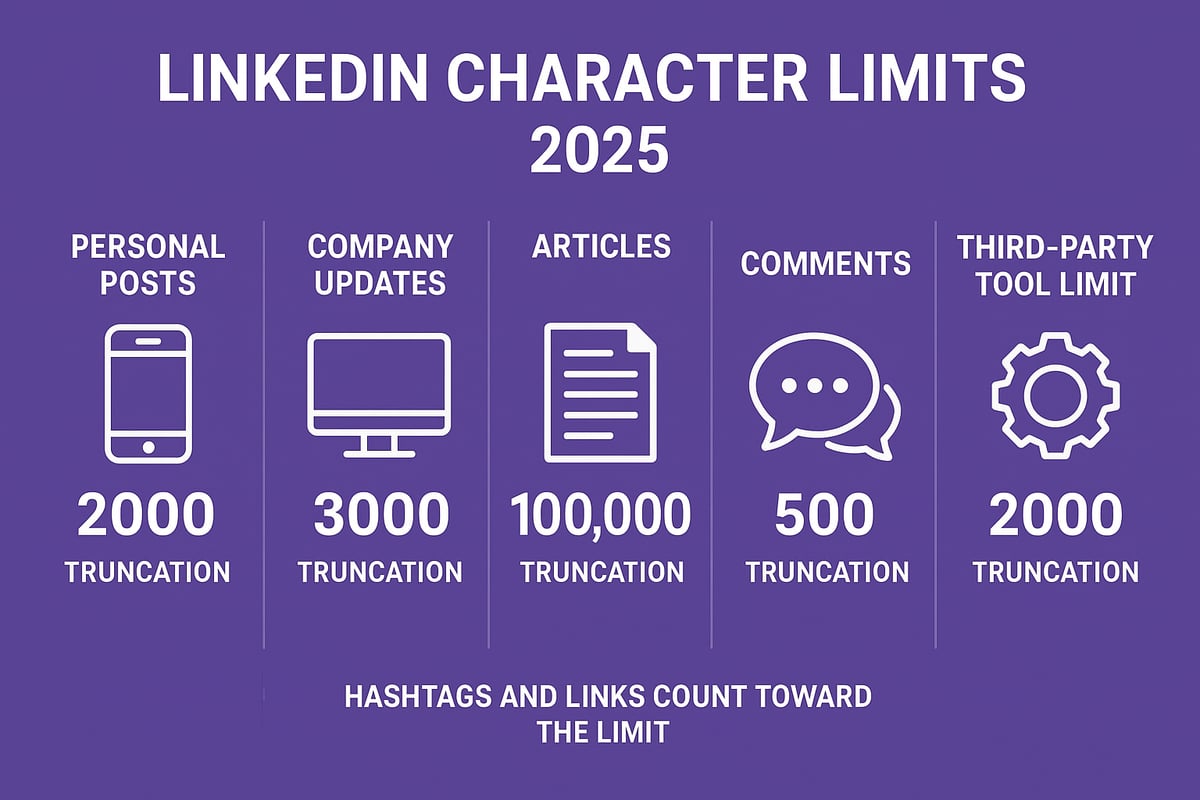
LinkedIn sets specific character limits for every content type to keep its platform clean, readable, and effective. In 2025, the linkedin post character limit for standard feed posts on personal profiles is 3,000 characters. For company page updates, the limit is 1,500 characters. Comments and replies are capped at 1,250 characters, while messages and InMails have a maximum of 2,000 characters.
Here's a quick comparison for 2025:
| Content Type | Character Limit (2025) |
|---|---|
| Personal Feed Post | 3,000 |
| Company Update | 1,500 |
| Article | 125,000 |
| Comment/Reply | 1,250 |
| Message/InMail | 2,000 |
Hashtags, mentions, and links all count toward the linkedin post character limit. For example, a post with many hashtags or tagged profiles will reach the cap faster. If your post goes over the limit, LinkedIn will either stop you from publishing or automatically truncate the content, often adding a "see more" prompt. Posts that get cut off tend to see lower engagement, since critical information may be hidden from the preview.
According to recent data, the average LinkedIn post is around 1,200 characters, but posts closer to 1,500 characters often see higher engagement rates. LinkedIn enforces these limits to ensure content remains concise and digestible, which benefits both readers and the platform's algorithm. For more specifics on 2025's linkedin post character limit, check the LinkedIn Post Character Limit 2025 guide.
Platform Variations: Mobile, Web, and Third-Party Tools
The linkedin post character limit can vary depending on how and where you create your content. If you post directly on LinkedIn's web platform, you'll likely have access to the full official limit. However, the mobile app sometimes restricts posts to slightly fewer characters, and third-party scheduling or automation tools may impose even stricter caps.
For instance, some tools set a hard limit of 1,300 characters for standard posts, even though LinkedIn itself allows 3,000. This discrepancy can lead to confusion or lost content if you draft a post in one place and try to publish it in another. There have been cases where marketing teams using automation tools found their carefully crafted updates cut short, limiting the message's reach and impact.
Why do these variations exist? Third-party tools interact with LinkedIn through its API, which may not always support the latest features or expanded limits. LinkedIn also runs A/B tests and phased rollouts, so some users or regions might see different limits for a time. Always double-check your linkedin post character limit on both mobile and web before publishing, especially if you're using scheduling software.
Staying aware of these platform differences will help you avoid accidental truncation and make sure your message lands as intended. As LinkedIn continues to evolve, keeping up with these changes is essential for maximizing your content's visibility and engagement.
LinkedIn Post Types & Their Specific Limits
LinkedIn’s content ecosystem is diverse, and every format comes with its own unique rules. To master engagement, you need a clear understanding of the linkedin post character limit for each post type. Whether you’re posting from a personal profile, company page, or sharing documents, these limits directly impact your strategy.
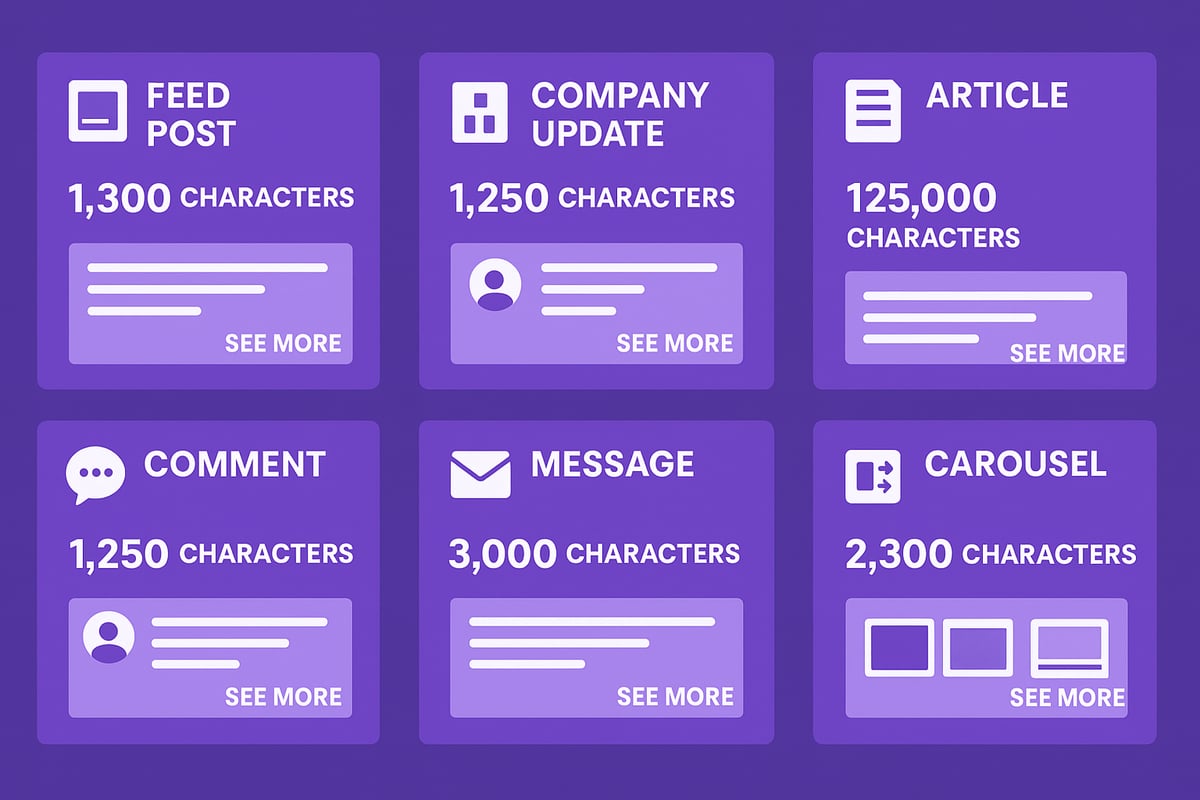
Below is a quick-reference table summarizing the 2025 linkedin post character limit for every major content format:
| Post Type | Character Limit (2025) | Truncation/See More |
|---|---|---|
| Personal Feed Post | 1,300 | After ~210 characters |
| Company Page Post | 700 | After ~150 characters |
| LinkedIn Article | 110,000 | No truncation |
| Comment/Reply | 1,250 | No truncation |
| Direct Message/InMail | 1,900 | No truncation |
| Document/Carousel Title | 255 | Title truncation possible |
| Carousel Slide Text | 300 per slide | No truncation |
Standard Feed Posts
The linkedin post character limit for personal feed posts in 2025 is 1,300 characters. For company pages, the limit is reduced to 700 characters. Exceeding these numbers means your content will be cut off, prompting readers to click “see more” after roughly 210 characters (personal) or 150 characters (company).
To maximize visibility, front-load your value proposition and use concise, punchy language. Compare this: a 1,300-character post lets you tell a story, while a 700-character company update demands brevity and directness.
LinkedIn Articles (Long-Form)
LinkedIn Articles are designed for in-depth thought leadership. The linkedin post character limit here is a generous 110,000 characters, which translates to roughly 15,000–20,000 words. Unlike feed posts, articles are not truncated and support rich formatting—headings, images, and embedded links.
Long-form content like this is ideal for detailed guides, case studies, and industry analysis. Remember, while the limit is high, best practice is to focus on clarity and keep paragraphs short for reader engagement.
Comments and Replies
When engaging on other posts or articles, the linkedin post character limit for comments and replies is 1,250 characters. This gives you room for thoughtful responses, but not for rambling.
To stand out, keep comments focused, actionable, and relevant. If you hit the limit, prioritize your main point and use line breaks or bullet points for readability.
Messages and InMail
For direct outreach, the linkedin post character limit for messages and InMails is 1,900 characters. This applies to both 1:1 messages and bulk InMail campaigns.
Effective outreach is concise. Open with context, personalize your message, and finish with a clear call to action. Avoid copying and pasting long templates from other platforms, as this can cause formatting issues and unintended truncation.
Document & Carousel Posts
Document uploads and carousel posts offer a creative way to bypass some text restrictions. For titles, the linkedin post character limit is 255 characters, while each carousel slide allows up to 300 characters.
This format is perfect for sharing step-by-step guides, infographics, or whitepapers. If your message exceeds feed post limits, break it into a multi-slide carousel or attach a PDF for extended content.
Rich Media & Embedded Content
When you add images, videos, or external links, these elements do not count toward the linkedin post character limit. However, captions and accompanying text are still subject to the standard limits for their respective post types.
To maximize impact, pair rich media with clear, concise captions. Use hashtags and mentions strategically, and always preview your post to ensure nothing important gets cut off. For a comprehensive breakdown and best practices, see this LinkedIn Character Limits Guide.
Why Character Limits Matter: Engagement, Reach, and Algorithm Impact
When it comes to LinkedIn, the linkedin post character limit is far more than a technicality. It is a powerful force shaping how your content performs, who sees it, and how your brand is perceived. Understanding the role of these limits is essential for anyone serious about maximizing reach and engagement on the platform.
How Post Length Influences Engagement
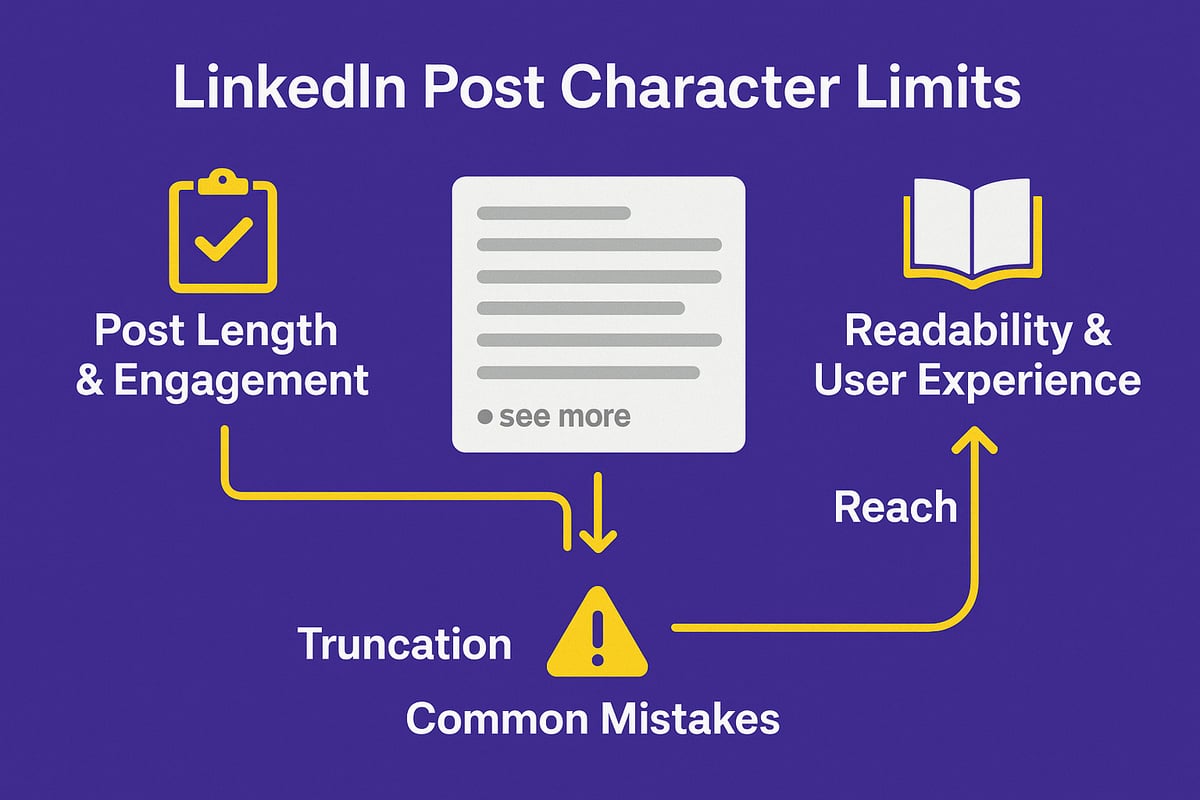
The linkedin post character limit is a major factor in determining how your post performs. Posts that are too short may lack substance, while posts that are too long risk being truncated with the "see more" link, which can decrease immediate engagement. Research shows that posts between 900 and 1,200 characters tend to generate higher likes, comments, and shares compared to extremely short or maxed-out ones.
Here's a quick comparison of post length and engagement:
| Post Length (Characters) | Likelihood of Engagement | See More Cutoff? |
|---|---|---|
| Under 300 | Low | No |
| 900-1,200 | High | Sometimes |
| Over 1,300 | Decreases | Yes |
When you exceed the linkedin post character limit, your message can get cut off, forcing readers to click "see more" to view the rest. Most users do not expand posts unless the opening lines are compelling. LinkedIn's algorithm also rewards posts that hold attention early, so keeping your key message above the cutoff is crucial.
For more insights into optimal post lengths and engagement, check out this detailed breakdown: Optimal LinkedIn Post Lengths.
Readability and User Experience
Readability is at the heart of how the linkedin post character limit affects user experience. Concise, well-structured content is easier to skim, which is vital in a busy feed. Posts that use bullet points, whitespace, and brief paragraphs make information digestible and keep users engaged.
Formatting tricks like line breaks and emojis can help you pack more value into fewer words, staying within the linkedin post character limit without sacrificing clarity. Remember, LinkedIn’s algorithm favors content that people actually read and interact with. If your post looks like a wall of text or is packed with jargon, users will scroll past—hurting your reach.
Effective use of the linkedin post character limit not only makes your message clearer but also improves dwell time, a metric LinkedIn uses to decide how widely to show your post.
Common Mistakes and How to Avoid Them
Many users fall into traps that hurt their performance within the linkedin post character limit:
- Overusing hashtags, links, or tags, which can quickly eat up your available space.
- Copy-pasting from other platforms, often resulting in posts that exceed LinkedIn’s constraints or include hidden formatting.
- Ignoring how formatting and emojis count toward the linkedin post character limit, leading to unexpected truncation.
To avoid these mistakes, always preview your posts for length, use LinkedIn’s built-in character counter, and focus on delivering value in the first few lines. Mastering the linkedin post character limit is about clarity, strategy, and making every character count.
Step-by-Step Guide: Crafting the Perfect LinkedIn Post Within Character Limits
Crafting a high-impact LinkedIn post requires more than just sharing your thoughts. To maximize your reach and engagement, you must understand and work within the linkedin post character limit. Here is a step-by-step guide to help you master this essential skill.
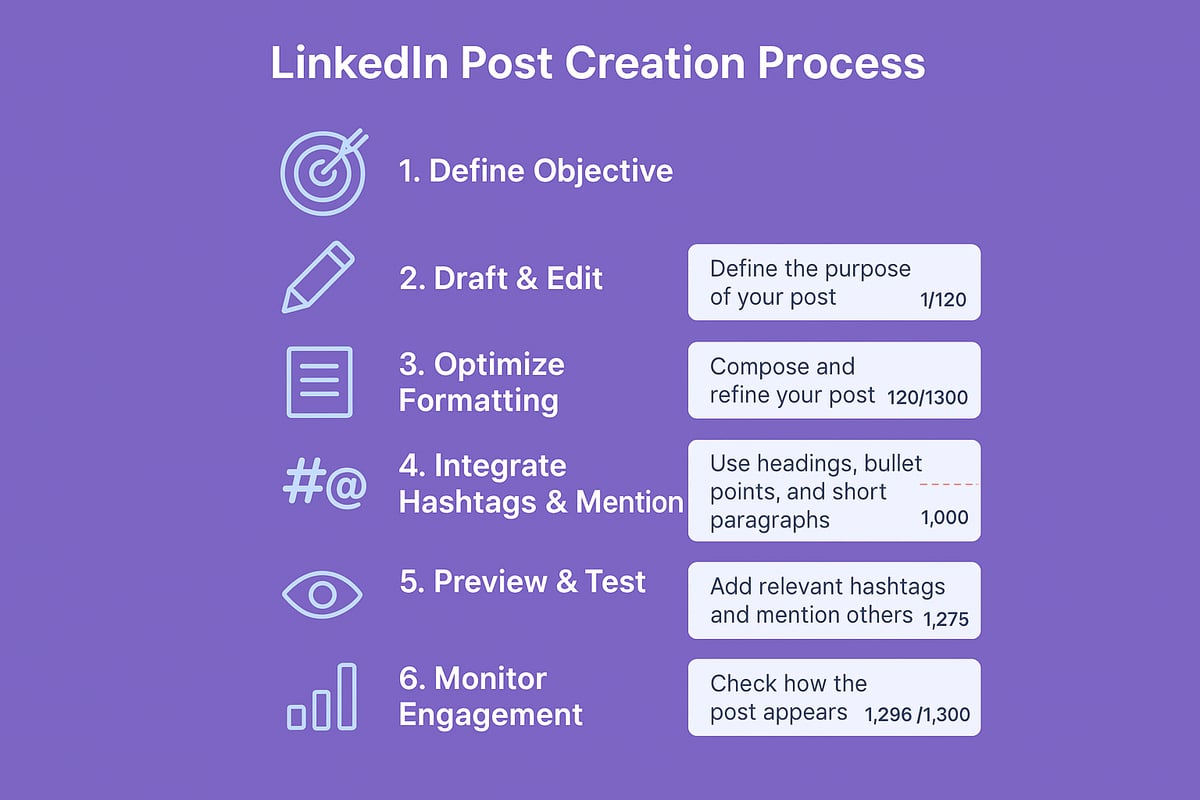
Step 1: Define Your Post Objective
Every successful LinkedIn post starts with a clear objective. Are you aiming to drive awareness, boost engagement, or generate leads? Identifying your goal shapes your message and determines how you approach the linkedin post character limit.
For brand awareness, concise messaging may suffice. For thought leadership, you might use more of your available characters to deliver value. Aligning your intent with your post length ensures you make every character count.
If you want to see how professionals incorporate objectives into full campaigns, check out this LinkedIn marketing solutions guide.
Step 2: Draft and Edit for Brevity
Start by drafting your message without worrying about the linkedin post character limit. Let your ideas flow, then refine your content to fit within the allowed count.
Use LinkedIn’s built-in character counter or external tools to monitor your length. Shorten sentences, eliminate jargon, and remove redundancies. Every word should serve your post’s purpose.
A concise draft not only ensures compliance with the linkedin post character limit but also increases readability and impact.
Step 3: Optimize Formatting and Structure
Formatting is crucial for grabbing attention in the LinkedIn feed. Use line breaks, bullet points, and emojis to make your post skimmable and visually appealing.
Place your hook and main value proposition within the first two to three lines. This placement is vital, as posts exceeding the linkedin post character limit for previews will be truncated with a “see more” link.
Here’s a quick example:
🚀 Unlock your team’s full potential!
• Proven strategies for remote success
• Real-world examples from industry leaders
#Leadership #RemoteWork
This structure maximizes engagement within the linkedin post character limit.
Step 4: Integrate Hashtags, Mentions, and Links Effectively
Hashtags, mentions, and links all count toward your linkedin post character limit. Use only relevant hashtags (ideally three to five) to boost discoverability without overcrowding your message.
Tag individuals or companies strategically, ensuring each mention adds value. If you include a link, place it at the end to avoid disrupting the flow, but remember it contributes to your total character count.
Efficient integration of these elements helps you stay within the linkedin post character limit while amplifying your post’s reach.
Step 5: Preview and Test Your Post
Before publishing, always preview your post on both desktop and mobile. LinkedIn may display content differently across devices, affecting where the linkedin post character limit triggers truncation.
Look for any “see more” cutoffs and adjust your content so critical information appears upfront. Testing ensures your message remains clear and compelling no matter how it’s viewed.
Step 6: Post and Monitor Engagement
Once your post is live, monitor metrics such as views, likes, comments, and shares. Tracking performance helps you understand how the linkedin post character limit influences engagement.
Here’s a simple table for tracking:
| Metric | Before Edit | After Edit |
|---|---|---|
| Views | 250 | 600 |
| Likes | 10 | 35 |
| Comments | 2 | 15 |
Use these insights to refine future posts, optimizing both your content and your use of the linkedin post character limit.
Advanced Strategies for Maximizing Impact Within LinkedIn’s Limits
Looking to push beyond the basics of the linkedin post character limit? Advanced tactics can help you deliver more value and boost visibility, even within strict boundaries. Let’s break down the most effective strategies, from multi-part posts to leveraging media and personalization.
Leveraging Multi-Part Posts and Comment Stacking
When the linkedin post character limit feels restrictive, comment stacking is your secret weapon. By posting a main update and immediately adding threaded comments, you can expand your message well beyond the initial limit.
For example, start with a concise introduction in your main post, then use the first comment to share additional insights, resources, or a call to action. This not only extends your content but also boosts engagement, as each comment can reignite visibility in your network.
How to execute a multi-part post:
- Draft your main post within the linkedin post character limit.
- Prepare 1–3 follow-up comments in advance.
- Immediately add your comments after publishing.
- Use bullet points or numbered lists in comments for clarity.
A simple code-style workflow:
Main Post (max 1300 chars)
Comment 1: Key details
Comment 2: Case studies
Comment 3: Resources/links
For more on optimizing post reach with advanced tactics, check out these LinkedIn hacks and filters.
Using Documents, Carousels, and Rich Media
Documents and carousel posts help you bypass the linkedin post character limit by letting you upload PDFs or multi-slide visuals. These formats are perfect for sharing guides, reports, or infographics that would otherwise be too long for a standard post.
Benefits of rich media formats:
- No strict character limit for document content.
- Slides or pages can each focus on a single idea.
- Enhanced visual appeal drives higher engagement.
Table: Comparing Content Formats
| Format | Character Limit | Best Use Case |
|---|---|---|
| Standard Post | 1,300 (personal) | Quick updates, news |
| Carousel Post | Caption limit applies | Step-by-step, storytelling |
| Document Upload | Caption limit applies | In-depth guides, reports |
Remember, your caption for these posts still counts toward the linkedin post character limit, so keep summaries crisp. Use the document body for deeper dives, and always preview your post to check for truncation.
Timing, Triggers, and Personalization for B2B Outreach
Mastering when and how you post is just as vital as what you share. The linkedin post character limit pushes you to be concise, but timing and personalization can make every word count.
- Post during peak activity windows for your target audience.
- Use analytics to identify triggers that boost engagement, such as industry news or trending topics.
- Personalize outreach by addressing pain points, referencing recent events, or tagging relevant connections.
A personalized approach within the linkedin post character limit increases response rates significantly. For a deeper dive into tailoring your outreach, read this guide on LinkedIn outreach personalization.
Monitoring LinkedIn Updates and Algorithm Changes
LinkedIn frequently tests new features and adjusts its algorithm, sometimes changing the linkedin post character limit for different user groups. Staying informed ensures your strategy remains effective.
Best practices:
- Regularly check LinkedIn’s official blog and help center for updates.
- Join professional groups that share platform news.
- Track your own post performance after any LinkedIn update.
A proactive approach lets you adapt quickly, avoiding surprises like sudden limit changes or format shifts. Always back up longer drafts before posting, so you never lose content if a limit changes overnight.
By actively monitoring updates, you can ensure your posts continue to maximize impact within the evolving linkedin post character limit.
LinkedIn Character Limit FAQs & Troubleshooting
Navigating the linkedin post character limit can be confusing, especially as LinkedIn updates features and runs experiments. Below you'll find clear answers to frequent questions, practical fixes, and the best resources to help you master this essential LinkedIn skill.
Why Am I Seeing a Lower Character Limit Than Others?
If you notice your linkedin post character limit is lower than what others report, you're not alone. This often results from platform or account differences. LinkedIn may impose different limits based on device (web vs. mobile app), or if you're posting via third-party tools.
Additionally, LinkedIn frequently tests new features and limits on select user groups or regions. These A/B tests can mean some users see a 700-character limit while others get 1300 or more. Company pages and personal profiles may also have varying restrictions.
If your account is in a test group, there’s no way to force an update. Stay patient, and keep an eye on LinkedIn’s official announcements.
How to Fix Posts Getting Cut Off or Truncated
A common frustration is seeing your post get cut off, leaving your message incomplete. The linkedin post character limit applies not just to text, but also to hashtags, tags, and links.
To avoid truncation:
- Always preview your post before publishing.
- Use LinkedIn’s built-in character counter.
- Place your most important message in the first 2-3 lines to avoid the “see more” cutoff.
- Remember that emojis and formatting can add hidden characters.
If your post is truncated, edit and trim unnecessary text. Test both mobile and desktop views, as limits and cutoffs sometimes differ by platform.
Can I Request Higher Limits or Early Access to New Features?
Currently, LinkedIn does not offer a public process to request an increased linkedin post character limit. Feature rollouts, including higher limits, are managed internally and usually distributed gradually to various user cohorts.
However, enabling Creator Mode or managing a company page may unlock some enhanced features or early access to updates. Stay active, provide feedback via the Help Center, and watch for invitations to test new tools.
If you’re eager for more space, consider using LinkedIn Articles or document uploads, which have much higher limits compared to standard posts.
What Happens When I Exceed the Character Limit?
When you exceed the linkedin post character limit, LinkedIn will prevent you from publishing until your content fits within the allowed range. You might see an error like:
Your post exceeds the maximum character limit. Please reduce your content to continue.
If this happens:
- Copy your draft to a safe place before trimming.
- Edit down unnecessary words, hashtags, or links.
- Use tools to count characters and spot hidden formatting.
Be aware that exceeding limits can sometimes result in loss of formatting or even the entire draft, especially when using automation tools.
Tips for Accessibility and Compliance
Staying within the linkedin post character limit also supports accessibility. Shorter, well-structured posts are easier for everyone to read, including those using screen readers.
Best practices include:
- Use line breaks and bullet points for clarity.
- Avoid excessive hashtags, which can clutter the message.
- Ensure links have descriptive anchor text.
- Test your posts on different devices for consistent formatting.
Accessible posts are more likely to engage a diverse audience and comply with LinkedIn’s guidelines.
Best Tools and Resources for Managing Character Limits
Managing the linkedin post character limit is easier with the right tools. Here’s a quick comparison:
| Tool/Resource | What It Does | Link |
|---|---|---|
| LinkedIn’s built-in counter | Tracks characters as you type | N/A |
| External character counter tools | Provides real-time character counting | N/A |
| LinkedIn Image Sizes and Text Limits | Updated info on text/image limits | External |
| LinkedIn Help Center | Official guidelines and troubleshooting | N/A |
For more on boosting engagement within these constraints, check out these tips to increase LinkedIn response rate. Staying updated with these resources ensures you never get caught off guard by a linkedin post character limit change.