Home>Knowledge Base>FAQs>FAQ: How do I switch my website visitor campaign to a different LinkedIn profile?
FAQ: How do I switch my website visitor campaign to a different LinkedIn profile?
 April 21, 2026
 5 min read
If you've connected a new LinkedIn account and want your website visitor campaign to run from that profile:
- Make sure the new LinkedIn profile is already connected to Samplead. Connect it here.
- Go to Settings → Integrations.
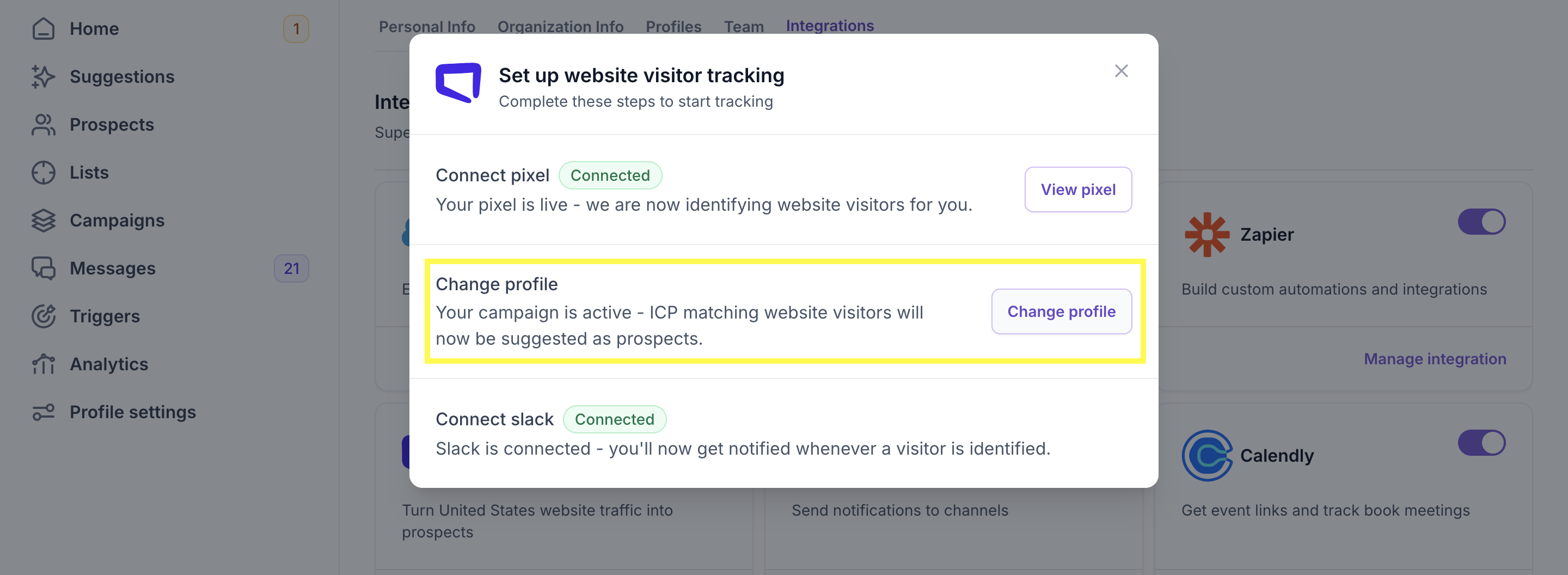
- Click Manage integration under Website Visitor.
- Click Change profile.
- Select the new LinkedIn profile from the list.